gococo: Building a Real-time Go Coverage Visualization Tool from Scratch
Background
Go's built-in coverage tooling (go test -cover) works great for unit tests, but has a fundamental limitation: you only get coverage data after the program exits. For long-running services — HTTP servers, microservices, background workers — this means you have to stop the process to see what code was exercised.
I previously worked on goc to solve this problem. goc injects an HTTP API into instrumented binaries so you can pull coverage data at runtime. It works, but uses a pull-based model with inherent latency.
gococo (Go Coverage Collection Tools) is a complete rewrite with a fundamentally different architecture: push-based, event-level granularity, with a built-in Web UI for real-time visualization.
GitHub: https://github.com/gococo/gococo
Architecture Overview
┌──────────────┐   instrument    ┌──────────────────┐
│  Go Project  │ ──────────────► │ Instrumented Bin  │
└──────────────┘   gococo build  └────────┬─────────┘
                                          │ events (HTTP stream)
                                          ▼
                                 ┌──────────────────┐   SSE
                                 │  gococo server   │ ──────► Web UI
                                 └──────────────────┘
Three components:
gococo build— AST-based source instrumentation at build time- Instrumented binary — pushes block-level events via chunked HTTP
gococo server— receives events, broadcasts to Web UI via SSE
Instrumentation: Two Channels, One Truth
For each basic block, gococo injects two operations:
GococoCov_RAND_FILEIDX[blockIdx]++; GococoEmit_RAND(fileIdx, blockIdx);
This dual-channel design is the core architectural decision:
Counter Arrays — Ground Truth
Counter arrays (GococoCov_*) are simple uint32 arrays that always increment. They never lose data, even during init() before any network connection exists. A snapshot is sent to the server 500ms after startup.
Event Channel — Real-time Stream
The emit function pushes events to a buffered channel (capacity 8192) using non-blocking send:
func GococoEmit_RAND(fileIdx int, blockIdx int) {
    if !gococoEnabled_RAND { return }
    select {
    case gococoCh_RAND <- &GococoBlock_RAND{FileIdx: fileIdx, BlockIdx: blockIdx}:
    default: // drop if full, never block the application
    }
}
Events may be lost when the channel is full, but that's acceptable — the counters remain accurate. Events provide real-time visualization; counters provide accurate totals.
Why Not Just Counters?
Counters tell you how many times a block was hit, but not when or in what order. Events carry timestamps and goroutine IDs, enabling the Web UI to show:
- Which lines were hit just now (green glow that fades)
- Which goroutine executed which code
- The execution timeline
Why Not Just Events?
Events can be lost (full channel, network hiccup). Without counters, you'd undercount coverage. The counter snapshot sent at startup captures everything that happened during init() and early main(), which events might miss entirely.
AST Rewriting
gococo parses source files using go/ast and go/parser, walks the AST to identify basic blocks, and records insertion points. The actual text injection uses byte-offset manipulation (insert from back to front to preserve offsets):
func (rw *rewriter) Visit(node ast.Node) ast.Visitor {
    switch n := node.(type) {
    case *ast.BlockStmt:
        // Handle case/comm clauses, then regular blocks
        rw.instrumentBlock(n.Lbrace+1, n.Rbrace+1, n.List, true)
    case *ast.IfStmt:
        // Walk init, cond, body, else separately
    case *ast.SwitchStmt, *ast.TypeSwitchStmt, *ast.SelectStmt:
        // Handle empty bodies
    }
    return rw
}
Block boundaries are detected at control flow statements (if, for, switch, select), branch statements, panic() calls, and function literals.
All coverage symbols are defined in a generated gococodef package, imported via dot import (import . "module/gococodef") so that instrumented code can reference counters without a package prefix.
The Agent: Synchronous Registration, Async Streaming
The agent is injected as an init() function in each main package:
func init() {
    host := "127.0.0.1:7778"
    if env := os.Getenv("GOCOCO_HOST"); env != "" {
        host = env
    }
    agentID := registerAgent(host)   // sync: blocks or exits
    registerBlocks(host, agentID)    // sends ALL block metadata
    go runStreaming(host, agentID)   // async: snapshot + events
}
Key design decisions:
Fail-fast registration. The agent tries to connect 10 times, then calls os.Exit(1). If the server isn't running, there's no point continuing — the user needs to know immediately.
Upfront block registration. Before any events flow, the agent sends metadata for ALL blocks (file, line range, statement count). This means the server knows the total codebase from the start, so coverage percentage denominators are always correct.
Delayed counter snapshot. The streaming goroutine waits 500ms before sending the counter snapshot. This gives main() time to execute its startup logic. Without this delay, we'd miss coverage from early main() execution.
Chunked HTTP streaming. Events flow via a long-lived POST request using io.Pipe + bufio.Writer. The writer flushes every 100ms for low-latency delivery. If the connection drops, the agent reconnects automatically.
Server: Receive, Track, Broadcast
The server is a single Go binary with the Web UI embedded via go:embed:
/api/internal/register— agent registration/api/internal/register-blocks— block metadata (total coverage denominator)/api/internal/counters— counter snapshot (accurate hit counts)/api/internal/events— chunked event stream from agents/api/events/stream— SSE broadcast to Web UI clients/api/coverage/summary— per-file coverage stats (server-computed)/api/source— source code from disk (usesgo.modmodule path mapping)
Coverage percentages are computed server-side using block metadata + hit counts, which is the single source of truth. The Web UI fetches this every 2 seconds.
Web UI
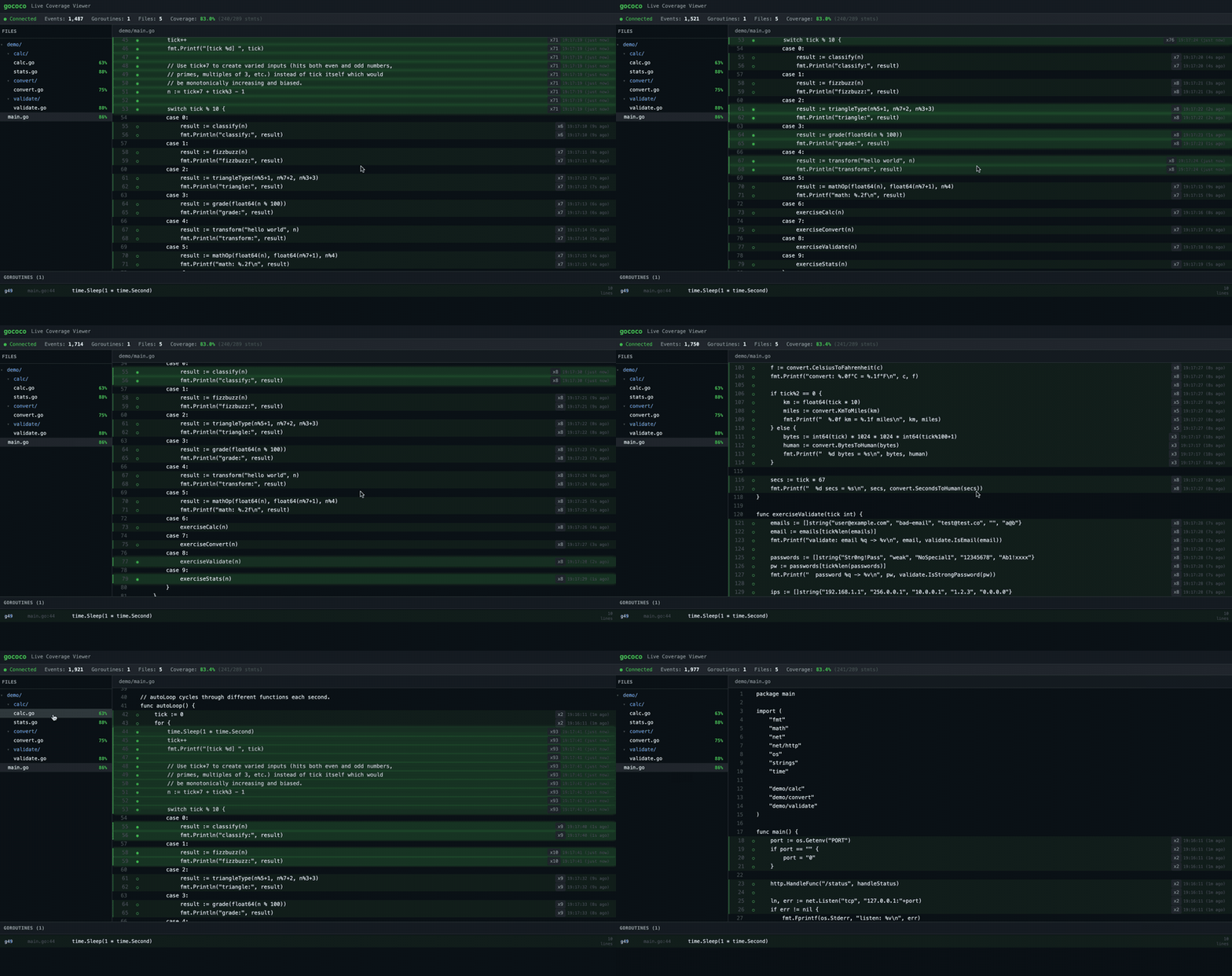
Built with React + TypeScript + Vite, the UI provides:
- Source code view — actual source from disk, with per-line coverage highlighting
- Live glow — recently hit lines pulse green, then fade over time
- Timestamps — each line shows when it was last executed (e.g.,
16:52:30 (3s ago)) - Directory tree — collapsible file tree with per-file coverage percentages
- Goroutine tracking — execution flow panel shows per-goroutine activity with code snippets
Quick Start
# Install
go install github.com/gococo/gococo/cmd/gococo@latest

# Start server in your project directory
cd /path/to/your/project
gococo server

# In another terminal: instrument and build
gococo build -o ./myapp-instrumented .

# Run and open the UI
./myapp-instrumented
open http://127.0.0.1:7778
gococo vs Alternatives
| | go test -cover | goc | gococo | ||||| | Coverage timing | After exit | On-demand (pull) | Real-time (push) | | Visualization | HTML report | coverprofile output | Live Web UI | | init/main coverage | Yes | May miss | Counter snapshot | | Goroutine tracking | No | No | Per-event goroutine ID | | Deployment | N/A | Server + mutual access | One-way (binary → server) |
Takeaways
The key insight behind gococo is the dual-channel architecture: counters for accuracy, events for immediacy. This separation means the tool never sacrifices correctness for real-time capability, and never sacrifices real-time capability for correctness.
The project is fully open source under the MIT license:
https://github.com/gococo/gococo
Star it, try it, break it, and let me know what you think.